The AI note taker that never joins your call.
An open-source AI note taker — the alternative to Otter.ai and Fireflies. The recording and the transcript stay on your machine, no bot joins the call, and no audio is uploaded.
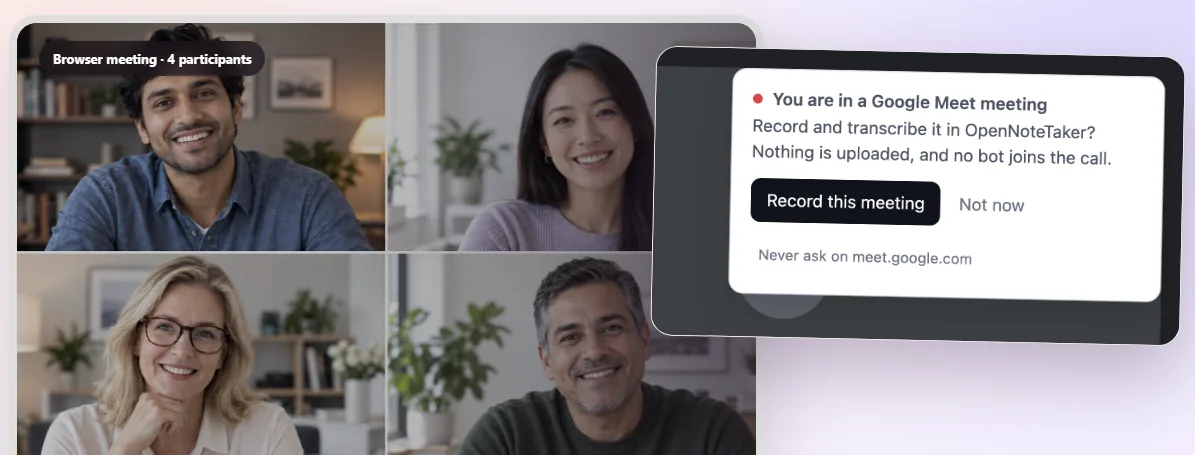
An open-source AI note taker — the alternative to Otter.ai and Fireflies. The recording and the transcript stay on your machine, no bot joins the call, and no audio is uploaded.
The difference
Otter and Fireflies, and Read.ai in its default web mode, all work the same way: a bot dials into the call, sits in the participant list, and has to be admitted. Everyone present can see it. Plenty of companies block it outright, and plenty of guests object to it. OpenNoteTaker is an AI note taker that takes a different route into the audio.
What it does
Everything below runs on your own machine. Nothing on this list needs an account, a subscription or a network connection once the model is here. This AI note taker runs in Chrome and Edge.
The tab’s audio and your microphone are captured together, so the people on the call and you are both on the recording. Change microphone mid-meeting without breaking the file.
Whisper, the speech-recognition model at the heart of this AI note taker, is compiled to WebAssembly and runs in the tab. The audio is never uploaded, because there is no server of ours for it to go to.
Speakers are separated from the audio itself and labelled through the transcript, so a two-hour meeting reads as a conversation rather than a wall of text.
Decisions, action items, deadlines, open questions and topics, pulled out of the transcript and linked back to the moment they were said. For minutes written as prose, the AI note taker can also draft them on our backend, paid for in credits.
Search covers every note you have kept and shows the passages it found, with the meeting and the timestamp. Asking the AI note taker for a written answer from them is the one step that uses our backend, and it is paid for in credits.
Subtitles (SRT and VTT), Markdown, plain text, JSON, CSV or HTML. Everything stays in the browser’s own storage until you export it.
An open-source AI note taker, free for everything that runs on your machine.
How it works
Join the meeting as yourself — the AI note taker never joins in your place. An optional browser extension notices Google Meet, Zoom, Teams and VooV calls and offers to record; without it you press the button.
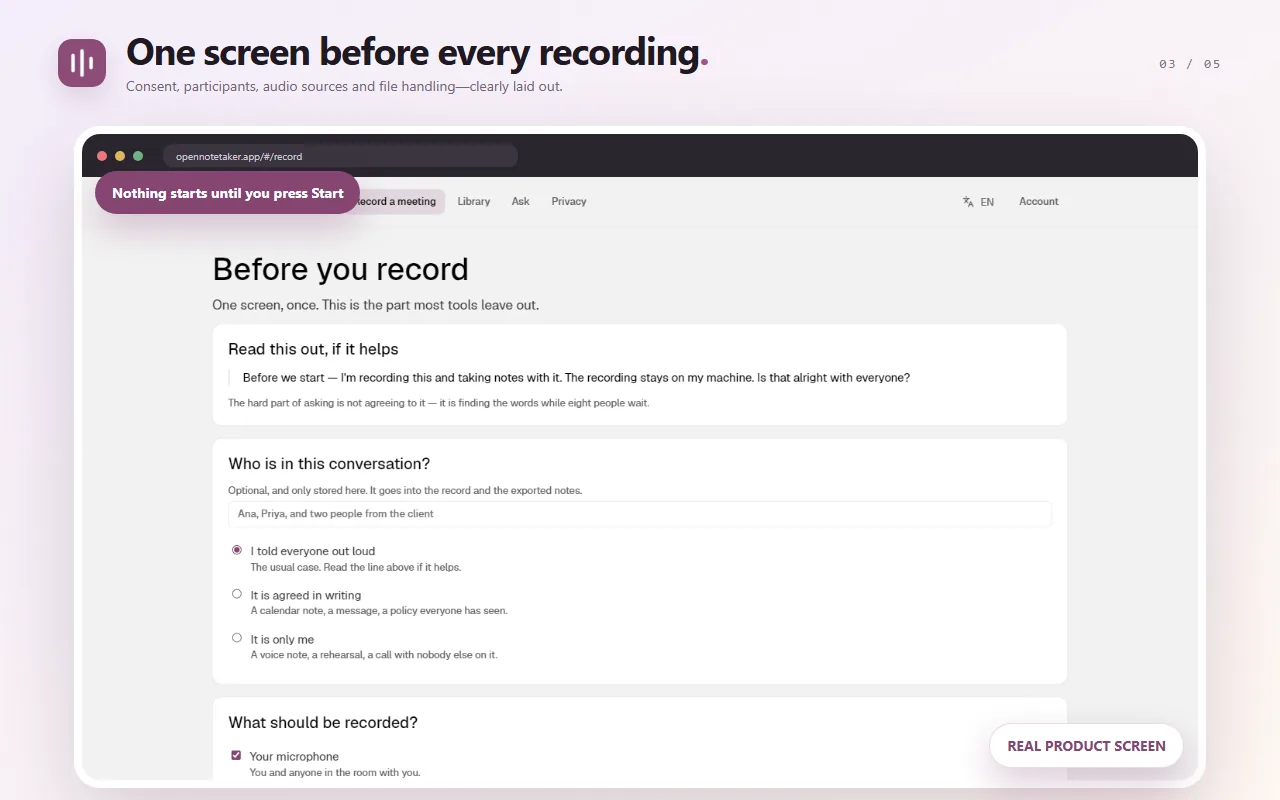
Every recording opens on a consent screen with words you can read out. It cannot be skipped or remembered, because consent is something you get from people rather than a setting.
The tab and your microphone are captured together, so both sides of the call are on the recording. You can change microphone mid-meeting without breaking the file.
Whisper transcribes it in the tab, speakers are separated, and the AI note taker hands you a searchable note you can export as subtitles, Markdown, text, JSON, CSV or HTML.
The reminder
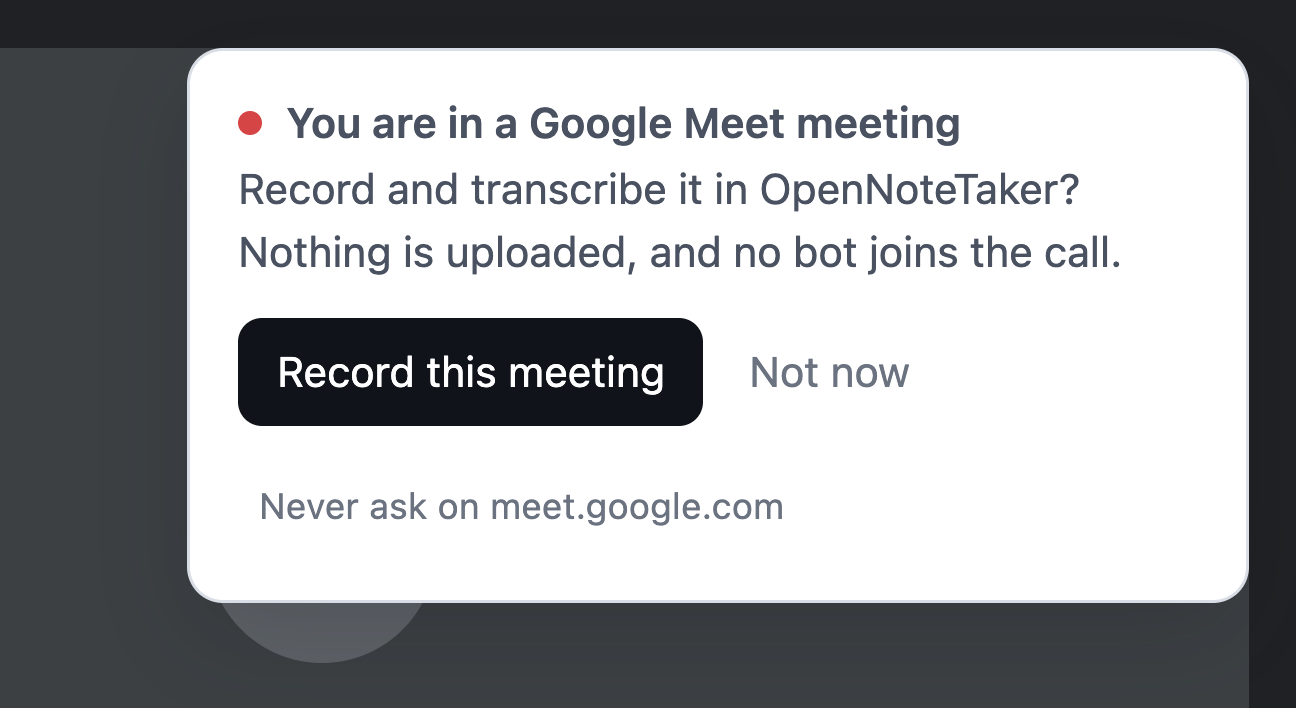
An AI note taker only helps if it is running before the useful part happens, and by the time you realise a call is worth recording, the decision has usually already been made. The extension closes that gap: it notices a meeting opening in a tab and asks, in the corner, while the call is starting. One click and you are on the consent screen.
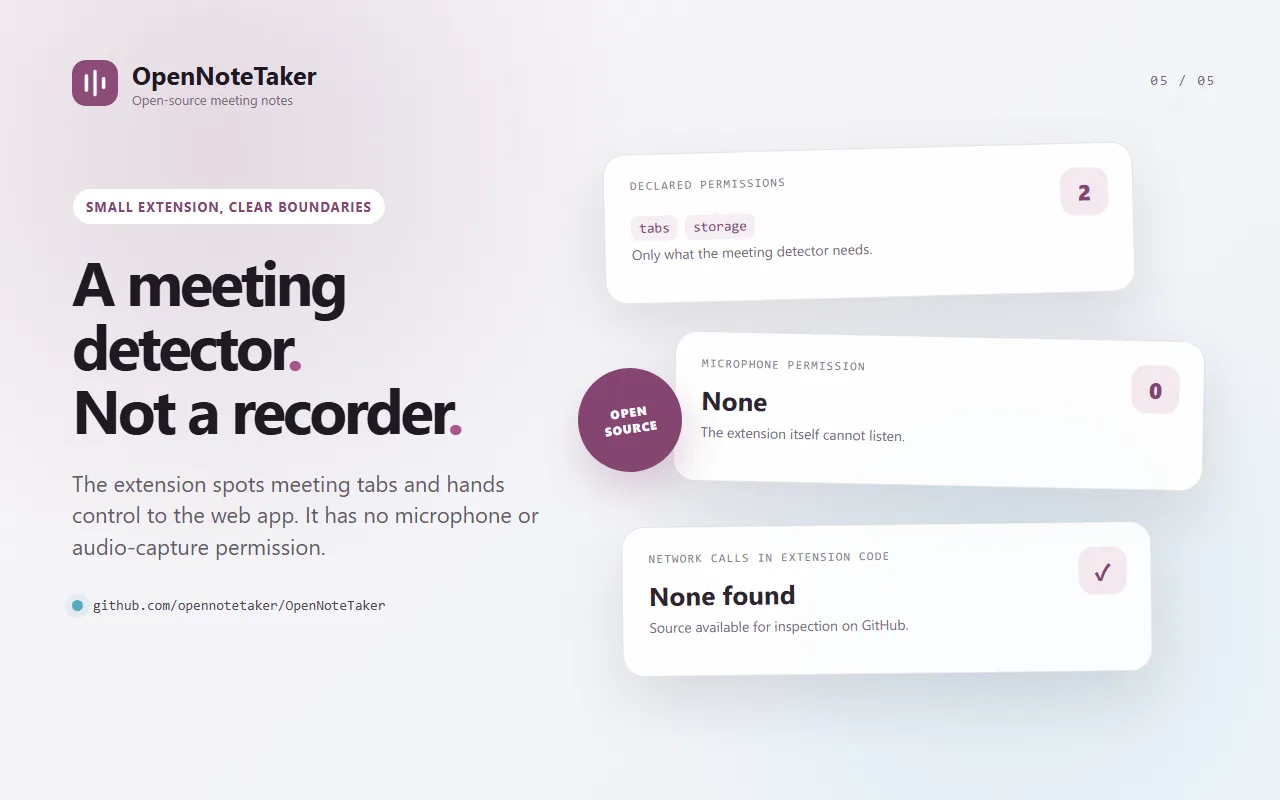
It is entirely optional — everything works without it, you just press the button yourself — and it is the only part of this AI note taker you install rather than open.
One click from either store, and it updates itself from there. The whole
thing is a handful of small files:
read
its source, where
grep -r fetch comes back
empty.
Privacy
This is a property of how this AI note taker is built, not a policy that could be changed later. The transcription engine is compiled into the page. There is no upload step to turn off, because there is no upload step.
Pricing
Not a trial and not a tier — work done on your own hardware costs us nothing to provide, so charging for it would be charging for the login. The three AI note taker features that use our backend are bought as credits that do not expire and do not renew.
| What | Where it runs | Price |
|---|---|---|
| Recording, with no bot in the call | Your browser | Free |
| Noticing the Meet, Zoom, Teams or VooV call you joined | An optional extension | Free |
| Transcription, 99 languages | Your browser | Free |
| Telling speakers apart | Your browser | Free |
| Topics, action items and decisions | Your browser | Free |
| Search across every meeting | Your browser | Free |
| Subtitles, Markdown, text, JSON, CSV, HTML | Your browser | Free |
| AI-written minutes | Our backend | Credits |
| A question across your library | Our backend | Credits |
| Translating a finished transcript | Our backend | Credits |
Credits cost $5 for 1,000. The exact price of a job is on the button before you press it, computed by the same code that does the charging. A job that fails costs nothing.
Questions
No. It records the audio already playing in your browser tab, so nothing appears in the participant list and nobody has to admit a guest. That is the whole reason this AI note taker exists: bot-based ones are visible to everyone in the call and blocked outright by many companies.
That depends on where everyone in the call is, and OpenNoteTaker cannot answer it for you — so it does not pretend to. Every recording opens on a consent screen that gives you words to say out loud, and there is no way to skip it or tell it to stop asking. Consent is something you get from people, not a checkbox you tick once.
Nowhere. Whisper is compiled to WebAssembly and runs in the tab, so this AI note taker never sends the recording off the machine. The model weights are downloaded once from Hugging Face and cached; after that, transcription works offline.
There is nowhere for us to keep them. Notes live in your own browser storage, and the audio is discarded when you close a note unless you turn on “keep the audio”. An account, if you make one, holds a sign-in method and a credit balance — no transcripts and no titles.
Yes, on your own device, with no model to download. It works well for two or three people with distinct voices and struggles with similar voices, crosstalk, and one person who changes microphone mid-call. You can set the number of people by hand and move any line to someone else in one click.
The language is detected every few seconds rather than chosen once for the whole file, so a meeting that moves between English and Chinese comes back in both scripts, on one timeline. Choosing a single language up front is the usual reason a bilingual recording comes out of an AI note taker as nonsense.
Badly, and the app says so. Your browser’s echo cancellation removes what is coming out of your speakers — which on a call is everyone else. Record the tab as well; that is the default, and the app warns you if you turn it off during a call.
Yes, under MIT or Apache-2.0. The engine of this AI note taker is Rust compiled to WebAssembly — the timeline, speaker separation, the extractive summariser and every export format — so the privacy claims on this page can be checked rather than taken on trust. The source is at gitlab.com/opennotetaker/opennotetaker.
OpenNoteTaker is an AI note taker for meetings that run in a browser tab. If the call is in a desktop app, join it from the web client instead.
Email hello@opennotetaker.app, or report a problem at gitlab.com/opennotetaker/opennotetaker/-/issues.